How to Film Professional-Looking Videos With Just Your Phone: Lighting, Audio, and Framing
You do not need a camera crew to look professional. A phone, good light, clean audio, and steady framing will beat expensive gear used badly.
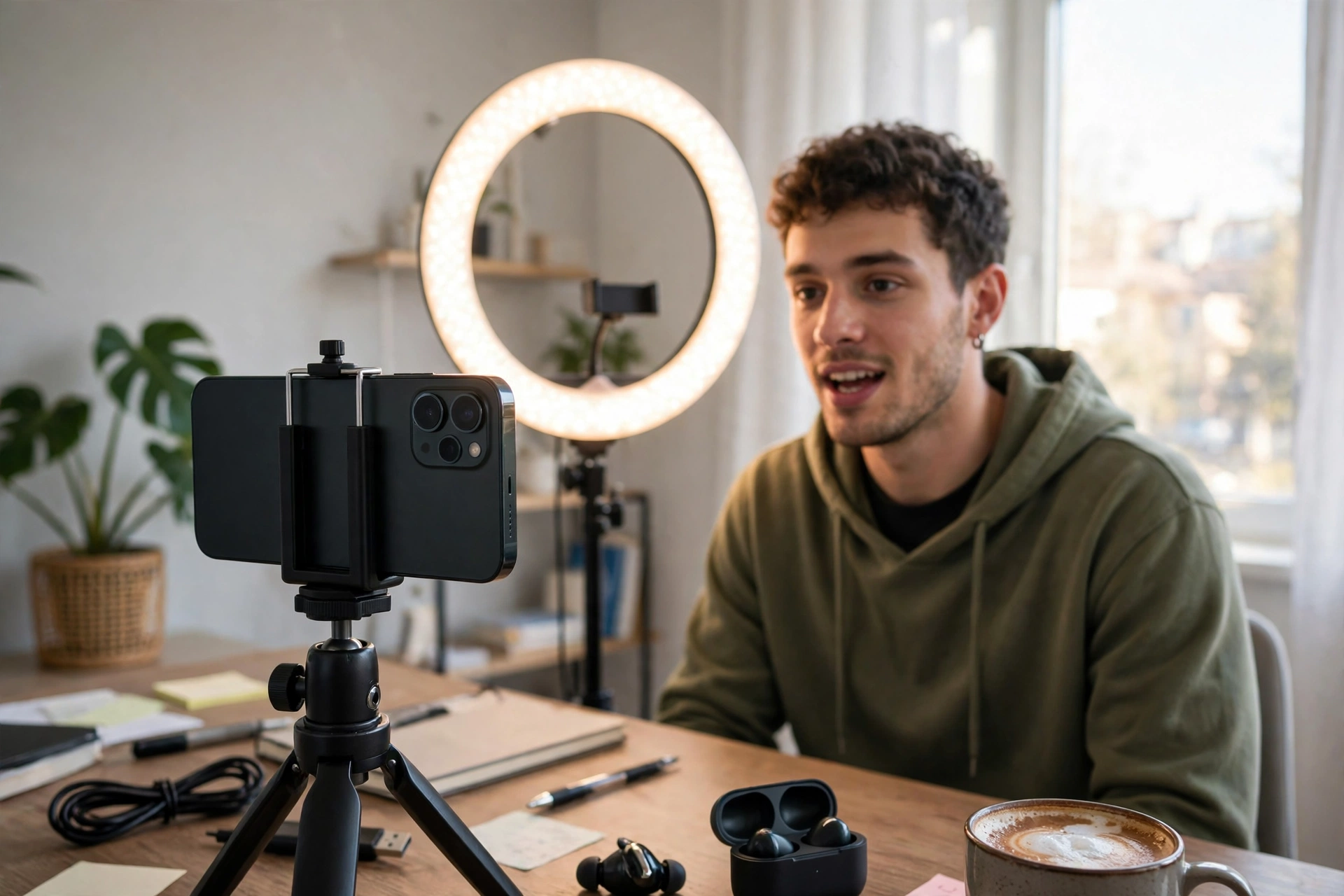
Open any creator's early videos and you will notice something: the ones that look professional rarely have the best camera. They have the best light, the cleanest sound, and the steadiest framing. A modern phone already shoots sharp 4K video. What separates amateur footage from professional footage is almost never the sensor. It is the three things around the sensor, and all three can be fixed for little or no money.
Light First: Face the Window, Not the Sun
Lighting is the single biggest upgrade available to a phone creator, and the best light source you own is a window. Stand facing a large window with the light falling on your face, and film during daytime. The result is soft, even light that flatters skin and removes harsh shadows. The most common mistake is filming with a bright window behind you, which turns you into a silhouette while the background glows. Always check what is behind you before you press record.
If you film at night, a single affordable ring light or a desk lamp bounced off a white wall works better than your room's ceiling light, which casts shadows downward and makes eyes look tired. Keep the light slightly above eye level and a little to one side rather than dead centre; that small angle adds depth to your face instead of flattening it. Film a ten-second test clip and watch it back before recording the full video. A test clip catches lighting mistakes in seconds that would otherwise ruin an hour of work.
Audio Matters More Than Resolution
Viewers forgive slightly soft video. They abandon videos with echoing, muffled, or noisy audio within seconds. Your phone's built-in microphone picks up everything in the room: fans, traffic, refrigerator hum. Two fixes solve most of it. First, film in the quietest room you have, close the windows, switch off fans during recording, and hang a blanket over a hard wall if the room echoes. Second, get the microphone close to your mouth. A basic wired lavalier microphone costs less than a meal out and transforms audio quality instantly.
When recording outdoors, wind is the enemy. Even a light breeze creates rumbling that ruins a clip. A small foam wind cover over the microphone, or simply shielding the phone with your body and filming with your back to the wind, helps enormously. After recording, listen to the audio on earphones, not just the phone speaker. Earphones reveal hums and echoes that a speaker hides, and catching them early means you can re-record a line instead of publishing a flawed video.
Framing: The Rules That Make Footage Look Expensive
Professional framing follows a few simple habits. Hold the phone horizontally for YouTube-style videos and vertically only when the platform demands it. Keep the camera at eye level or slightly above; filming from below makes chins and nostrils the stars of the video. Leave a small amount of space above your head, not a huge empty gap and not a cropped forehead. Place your eyes roughly one-third down from the top of the frame, which is the classic rule of thirds, and it instantly makes a shot feel composed.
Stability is the other half of framing. Shaky footage reads as amateur even when everything else is perfect. Rest the phone on a stack of books, a mug, or a cheap tripod rather than holding it by hand for long takes. If you must move while filming, walk slowly with bent knees and keep both hands on the phone. Lock the exposure and focus by tapping and holding on your face before recording, so the phone does not keep hunting for focus every time you move your hands. These small habits are what make phone footage look intentional rather than accidental.
Settings Worth Changing Once
Most phones ship with settings that prioritise convenience over quality. Change them once and forget them. Record in 1080p at 30 frames per second for talking-head videos; 4K files are four times larger and most viewers watch on phones where the difference is invisible. Turn on the grid lines in your camera app so framing becomes automatic. If your phone offers it, lock the white balance rather than letting it shift colours mid-sentence when you move. Clean the lens before every shoot — a pocket-smudged lens is the most common reason phone footage looks hazy.
Storage is the unglamorous part of phone filming. Video fills storage fast, and a phone that runs out of space mid-recording is a painful lesson. Before a shoot, free up space or move old clips to cloud storage. Record in short segments rather than one giant take; shorter clips are easier to edit, easier to re-record, and far less devastating if one of them fails.
Editing: Cut Ruthlessly, Keep It Honest
Good editing is mostly cutting. Remove long pauses, repeated words, and any sentence that does not move the video forward. A five-minute video cut from twenty minutes of rambling is not dishonest; it is respectful of the viewer's time. Add captions, because a large share of viewers watch without sound at first, and captions decide whether they stay. Keep transitions simple — a plain cut beats a spinning effect every time — and use background music quietly enough that your voice stays clearly on top.
Colour correction on a phone is worth one minute, not one hour. A slight increase in contrast and warmth is usually enough. Chasing a cinematic colour grade on phone footage tends to make skin look unnatural. The goal is clean and believable, not a film set. Export at the platform's recommended settings and watch the finished video once on your phone before publishing, because that is exactly how your audience will see it.
Frequently Asked Questions
Is 4K necessary for professional-looking videos?
No. Good lighting and clean audio matter far more than 4K resolution. Most viewers watch on phones or laptops where well-lit 1080p looks excellent. Save 4K for projects where you plan to crop heavily in editing.
What is the cheapest upgrade that makes the biggest difference?
A wired lavalier microphone. It costs very little and fixes the problem viewers notice first: bad audio. The second cheapest upgrade is free — filming facing a window in daylight.
Should I buy a gimbal?
Only if you regularly film while walking or moving. For talking-head videos, tutorials, and product shots, a tripod or even a stack of books is steadier and cheaper. Buy a gimbal when movement is central to your content, not before.
Why does my video look good on my phone but bad after uploading?
Platforms compress video, which punishes noisy, dark, or shaky footage. Well-lit, steady footage survives compression much better. Also check that you exported at the platform's recommended resolution and frame rate rather than letting an app downscale it.
Conclusion
Professional-looking video is a craft, not a purchase. Face the light, get the microphone close, frame with your eyes on the upper third, keep the phone steady, and cut ruthlessly. Do those five things consistently and your phone footage will look better than most creators' expensive setups. The gear can come later, when your audience and income justify it. The habits are free, and they start with your very next video.
Related Marketplace Assets
AI YouTube Title Generator
Generate curiosity-driven, high-converting video and article title variations engineered to capture viewer interest.
AI YouTube Description Generator
Craft structured YouTube video descriptions featuring above-the-fold hooks, key timestamps, and clear calls to action.
AI YouTube Script Generator
Generate comprehensive, high-retention YouTube video scripts with visual B-roll cues, pacing markers, and outro CTAs.