How to Sell on Instagram Without a Website: The Complete 2026 Guide for Indian Creators
Instagram has no in-app UPI or COD checkout in India, and Instagram Shopping only accepts physical products. Here are the three routes that actually work in 2026 — Shopping, a DM selling system, and a link-in-bio storefront — and how to pick the right one for what you sell.
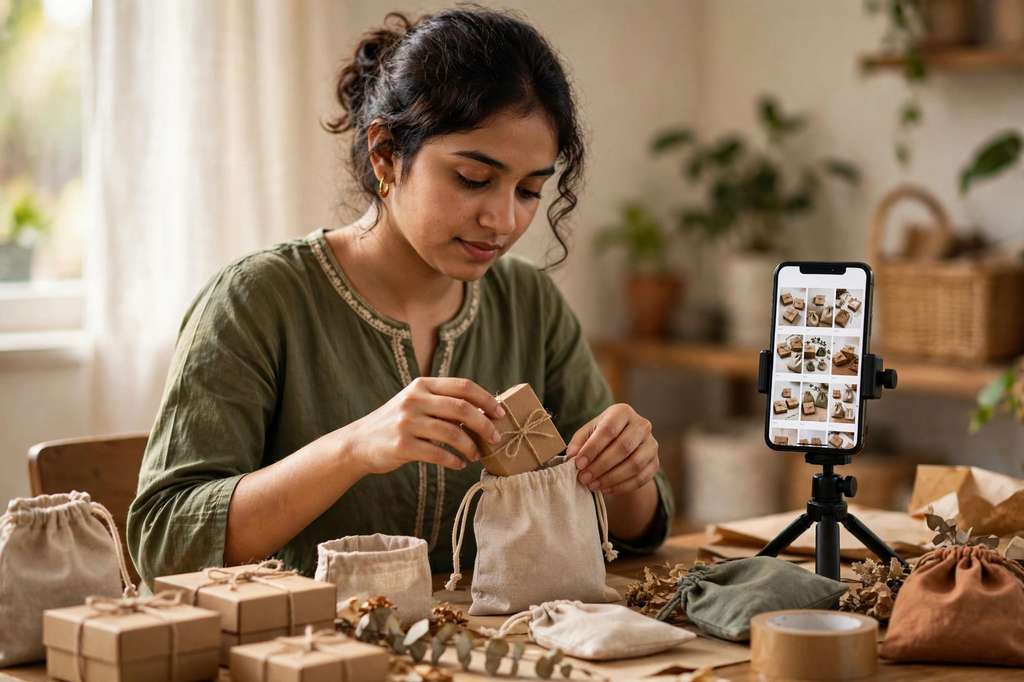
Lakhs of Indian sellers run their entire business from an Instagram profile, a UPI ID and a courier account. No website, no developer, no monthly hosting bill. A home baker in Indore, a jewellery maker in Jaipur, a creator selling Notion templates from a bedroom in Pune — all of them started the same way: post the product, take the order in DMs, get paid on UPI, ship it.
It works. But there is one honest catch most guides skip: Instagram in India has no built-in checkout. A buyer cannot pay by UPI or choose cash on delivery inside the app. Every sale still needs you — a payment link, a UPI ID, a website checkout, or a courier who collects cash. Once you accept that, selling on Instagram without a website becomes a practical system instead of a gamble. This guide shows you the three routes that actually work in 2026, which one fits what you sell, and the mistakes that quietly kill sales.
First, the Honest Truth About Selling on Instagram in India
Since September 2025, Instagram Shops use website checkout: people browse your products on Instagram, then go to your website to pay. Meta removed in-app checkout, order management in Commerce Manager, and its chargeback and dispute services for shops. Orders, payments, delivery and returns are now yours to run. That is the single most important fact for an Indian seller, because it changes what "selling on Instagram" means: Instagram is your discovery engine and your order desk, not your cash counter.
The second fact is the physical-versus-digital split. Instagram Shopping — the product tags on posts, Reels and Stories — only accepts physical goods. Digital products, courses, templates, presets, coaching and bookings are not eligible for a shop. If that is what you sell, you need the DM route, not the Shopping route. Picking the wrong route is the most common reason a new seller wastes a month waiting for an approval that was never going to come.
The Three Ways to Sell on Instagram Without a Website
| Route | Best for | What you need | How the buyer pays |
|---|---|---|---|
| Instagram Shopping | Physical products: clothes, jewellery, food, crafts | Professional account, product catalogue in Commerce Manager, your own domain | On your website checkout |
| DM selling system | Everything, including digital products and services | Price list, Highlights as catalogue, UPI payment links | UPI link or QR you send in chat |
| Link-in-bio storefront | Sellers outgrowing DMs | A no-code store builder, one bio link | On the store page (UPI, card, COD where supported) |
Most successful small sellers use route one or two — and many use both. Start with the route that matches what you sell today, not the one that looks most impressive.
Route 1: Instagram Shopping for Physical Products
Instagram Shopping is a free Meta feature that turns your profile into a mini storefront. Products appear in your profile shop and as tags on posts, Reels and Stories, so a buyer taps a photo and sees the price and details right there. Setup is free; you only pay if you run ads or if your checkout provider charges a fee.
Before you start, check the eligibility rules. Your account must be a Business or Creator account — personal accounts cannot use Shopping. You must sell physical goods that link to a domain you own; services and digital products are excluded, as are alcohol, tobacco, weapons, medicines and counterfeit goods. Your business and your products must be based in a supported market. India is on Meta's list, in an open beta, which means some sellers may not see every capability at first.
The setup itself runs through Meta's Commerce Manager. Switch to a professional account, then create a commerce account and a product catalogue — you can import it from Shopify, WooCommerce or a similar platform, or add products by hand with photos, prices and descriptions. Meta typically asks you to verify the domain your products link to, because that proves you own the shop the buyer will pay on. Then you submit for review. Meta says the review can take up to four weeks, and each product is approved separately, usually in seconds once the shop itself is approved.
After approval you can tag products: a photo feed post can carry up to 20 products, a carousel up to 20 tags across all its photos and videos, and a Story holds one product sticker with up to five products. The full step-by-step, including the Commerce Manager task list and what to do when a product is rejected, is laid out in the IONOS guide to setting up Instagram Shopping, and the inDM setup guide tracks exactly what changed when Meta moved shops to website checkout.
One practical note: you do not need a Facebook Page if you only sell on Instagram — Meta's own setup article says so. You do need a catalogue, a domain, and a website checkout that actually works, because that is where every buyer lands. If your checkout page is broken or slow, the prettiest product tags in the world will not save you.
Route 2: The DM Selling System (the Workhorse)
This is how most Indian Instagram sellers actually make money, and it needs no approval from anyone. The system has four parts, and all four can be set up in an afternoon from your phone.
First, turn your Highlights into a catalogue. Make one Highlight per category — "New", "Under Rs 499", "Bestsellers", "How to Order" — and put clear photos with the price written on the image or in the caption. A buyer should be able to understand what you sell and what it costs without sending you a single message. The "How to Order" Highlight is the most important one: it tells people to DM a product code, and it sets out your payment and delivery terms in plain words.
Second, answer "price?" once, not a hundred times. Put prices in captions wherever you can. Where you cannot — a Reel, a Story, a carousel — pin a comment that says how to order and what the price is. Every unanswered "price please" under a post is a buyer who will go quiet within an hour. Saved replies help: write one reply for prices, one for delivery time, one for your return policy, and reuse them instead of typing the same answer forty times a day.
Third, take payment with a link, not a screenshot chase. Generate a UPI payment link or QR for the exact amount — Google Pay, PhonePe and Paytm all support this — and send it in the DM. Ask the buyer to share the payment screenshot and their full address in the same message, and copy both into one order sheet the same day. A simple Google Sheet with columns for date, buyer name, product, amount, payment status, address and courier tracking is enough for the first hundred orders. The sellers who lose money are rarely the ones with too few orders; they are the ones who lose track of the orders they already have.
Fourth, keep the conversation in one place. If a buyer moves to WhatsApp, that is fine — WhatsApp is where many Indian sellers run their order desk — but keep the product and payment details in the same thread as the order. Our guide to selling digital products on WhatsApp shows how that handover works in practice, and the same discipline applies to physical goods.
Route 3: A Link-in-Bio Storefront (When DMs Start Breaking)
DMs are enough while you take a handful of orders a day. They start breaking somewhere around twenty to thirty orders a day: replies slow down, buyers go quiet while waiting, addresses get copied wrong, and you spend more time answering questions than making products. That is the moment a simple storefront pays for itself.
A link-in-bio store is a single page linked from your Instagram bio that lists your products with prices and a buy button. No-code store builders can set one up without a developer, and the buyer pays on that page by UPI or card instead of waiting for your reply. You still do not need a full website — one catalogue page with checkout is enough to start — and your catalogue becomes visible on Google, which Instagram alone never gives you. Keep Instagram for discovery and let the store handle the transaction.
If You Sell Digital Products, Courses or Services
This is where creators get confused, so here it is plainly: Instagram Shopping will not accept your product. Meta's catalogue rules list only physical goods, so a course, a template pack, a preset bundle, a coaching call or a booking has no place in a shop. Do not waste weeks applying.
The route that works is the DM system plus a payment link. Post the outcome — the transformation, the before-and-after, the student result — and send the buyer a payment link in the DM. If you sell templates or guides, our beginner's guide to selling digital products covers pricing and delivery for exactly this kind of product. For services, take a small advance before you start work, and put the scope, the delivery date and the revision count in writing in the same DM thread as the payment. That one habit prevents most disputes.
Reels That Actually Sell, Not Just Get Views
A Reel with a lakh views and zero orders is a failed sales post, however good the views look. The Reels that convert do four things. They show the product being used, not just photographed — a try-on, a demo, a before-and-after. They put the price or the price range in the caption or the pinned comment, so the buyer never has to ask. They end with one clear instruction: "DM the word ORDER" or "tap the link in bio". And they answer the objection the buyer already has — delivery time, COD availability, return policy — inside the video or the caption, not three DMs later.
Format matters too. A tutorial or a demo converts better as a searchable Short-style video, while a trend-led, visual Reel converts better for lifestyle and fashion products. Our comparison of YouTube Shorts vs Instagram Reels in 2026 explains which format fits which kind of product and audience, so you can stop posting the same clip everywhere and hoping.
Five Mistakes That Quietly Kill Instagram Sales
Hiding the price. "DM for price" feels like a sales tactic; to a buyer it feels like a test. Every extra message between interest and price loses a share of buyers. Show the price wherever the format allows.
Replying late. A buyer who messages at 9 pm and hears back at 11 am has usually bought from someone else by then. If you cannot reply fast, say so in your bio — "replies within 4 hours, 10 am to 8 pm" — and keep that promise.
No return or delivery policy in writing. Buyers do not trust a shop with no policy, and the first dispute will cost you more than a clear policy ever would. Write two lines: delivery time and what happens if the product arrives damaged.
Mixing your personal account with your shop. A buyer who lands on a grid of family photos, memes and three product posts does not know you are a seller. Keep the shop account clean, or convert it properly and let the personal stuff live elsewhere.
Buying followers to look established. Meta's own eligibility rules talk about trustworthiness and an authentic presence. Fake followers do not buy anything, they wreck your reach rate, and they make a real buyer trust you less the moment they look at your comments.
Frequently Asked Questions
Do I need a website to sell on Instagram?
No. Lakhs of Indian sellers run their business from a profile, a UPI ID and a courier account. A website — or even a single storefront page — becomes worth it when order volume makes DMs slow, usually around twenty to thirty orders a day.
Do I need a Facebook Page to set up Instagram Shopping?
Not if you only sell on Instagram. Meta's setup article says you do not need to create a Facebook business Page in that case. You do need a professional Instagram account, a product catalogue in Commerce Manager, and a domain you own.
How long does Instagram take to approve a new shop?
Meta says the review can take up to four weeks. Individual products are reviewed separately and usually clear in seconds once the shop is approved. Check the status in Commerce Manager and watch your email for anything Meta asks you to fix.
Do I need GST to start selling on Instagram?
As a small seller you can usually start without it, but GST registration becomes mandatory once your turnover crosses the threshold, and courier and payment partners may ask for it earlier. Treat it as a milestone to plan for, not a reason to delay your first sale — and check the current threshold with a CA as you grow.
Conclusion
Selling on Instagram without a website is not a trick; it is a system. If you sell physical products, set up Instagram Shopping and let product tags do the showing while your website checkout does the taking. If you sell digital products or services, skip the shop application and build the DM system instead — clear prices, Highlights as your catalogue, UPI payment links, and one order sheet you update the same day. And when the DMs start breaking under volume, add a single link-in-bio storefront rather than a full website you do not need yet.
The sellers who make it are rarely the ones with the biggest following. They are the ones whose buyers never have to ask the price twice, never wait a day for a reply, and never wonder where their order is. Build that, and Instagram will do what it is actually good at: putting your product in front of the people most likely to buy it.
Related Marketplace Assets
AI Instagram Caption Generator
Generate 3 distinct styles of engaging Instagram captions with hooks, emojis, and conversation-starting CTAs.
AI Smart Hashtag Generator
Discover targeted, tiered hashtag groups categorized into broad high-reach, niche-specific, and community tags.
AI Social Media Post Generator
Generate engaging, platform-aware social media posts formatted with clean spacing, strong hooks, and closing prompts.